
Streaming radio, talk shows, sports and exclusive channels from your television is easier than ever—especially in 2025 with the latest updates from SiriusXM. If you’re planning to use the service on your TV, this guide walks you through why it’s worth it, what you’ll need, how to activate, and troubleshooting tips to make your experience smooth.
Why Use SiriusXM on Your TV?
– With the SiriusXM app on smart TVs and connected streaming devices, you’re not just limited to your radio or car. You can enjoy its full array of content—music, talk, news, sports—from the comfort of your living room.Â
– In 2025, SiriusXM continues expanding its platform support and integration. For example, the service recently made its way into more entertainment platforms (like the Comcast X1 / Flex / XClass TV ecosystem) so users can access it on their big-screen setups.Â
– The value proposition is compelling: SiriusXM offers hundreds of curated channels (music across decades/genres, original talk, live sports, exclusive artist channels) via its streaming app and on compatible devices.Â
– If you’re already familiar with streaming services on your TV, adding SiriusXM just broadens your audio-entertainment horizon. In effect, it’s a great complement for those times when you want something beyond typical TV-audio fare.
What You’ll Need Before Starting
Here are the prerequisites to activate SiriusXM on your TV so you’re prepared.
Compatible TV / Device
You’ll need a smart TV or a streaming device (Roku, Fire TV / Fire Stick, Android TV, etc.) that supports the SiriusXM app.Â
Make sure your TV’s operating system is up to date (for example, Roku and Android TV devices often require a minimum OS version for the app to work properly).Â
Note: Some older devices may no longer be fully supported, which can cause issues. (We’ll cover this in troubleshooting.)
Active Internet Connection
Streaming on your TV requires a stable broadband connection. If your home network is slow or unreliable, you may face buffering or login issues.
Ensure your device is connected and the TV recognizes the internet connection.
Valid SiriusXM Subscription or Plan
To access full SiriusXM content on the TV, you must have a SiriusXM streaming-compatible plan (not just a free trial or radio-only plan).Â
If you’re new to SiriusXM, you’ll likely need to sign up and pay for the streaming plan via the TV device or via their website.
SiriusXM App Installed on the TV
From your TV’s app store (Roku Channel Store, Amazon Appstore, Google Play, etc.), search for and download the “SiriusXM” app.Â
Launch it once to ensure it’s installed properly.
Login Credentials / Activation Code
If prompted, have ready your SiriusXM username and password.
Some setups will display an activation code on-screen which you’ll then enter on a separate device (computer or phone) at siriusxm.com/tv.Â
Step-By-Step Activation Guide
Here’s how to activate SiriusXM on your TV in 2025:
On your smart TV or streaming device, open the SiriusXM app.
If you are an existing subscriber: select “Sign In” and enter your credentials (username/email and password).
If the app displays an activation code, take note of it.
Typically a screen will say: “Go to siriusxm.com/tv on another device and enter this code.”
That process links your TV app session with your account.Â
If you are new to SiriusXM and subscribing via the TV device:
The app may give you the option to Sign Up.
Follow the prompts to choose a streaming plan, enter payment info, etc.
After activation, browse the app’s content: you should see channels, playlists, talk shows, sports, etc.
Start streaming and enjoy.
Tips & Considerations for 2025
Device Updates Matter: Make sure you update both your TV firmware and the SiriusXM app to the latest version. Out-of-date software is a common culprit for login/streaming problems.
Stream-Only vs Radio-Plan: If your subscription was originally for radio (in-car) only and doesn’t include streaming rights, you may be limited in what you can do on TV. Always check plan details.
Multiple Devices / Multi-Screen: If you already use SiriusXM on a phone or tablet, activating on your TV gives you seamless access across devices—just use the same account.
Promotions & Free Trials: SiriusXM often runs offers (e.g., discounted “All Access” plans) which may extend to TV streaming.Â
Supported Regions: Ensure that your region is supported; licensing or app availability may vary by country. (This is more relevant for non-US users.)
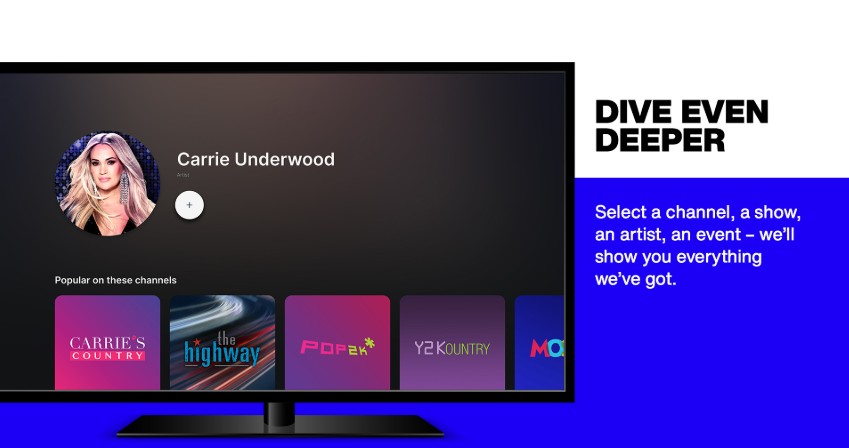
Content Navigation: On TV, you benefit from big-screen browsing of channels/categories, making discovery easier. Explore features like curated channels, artist-specific stations, talk/shows etc.Â
Even with everything in place, things can go wrong. Here are some known problems and their remedies:
App Doesn’t Launch / Crashes
“On my Samsung TV the SiriusXM app won’t show sound though it works on my phone.”Â
Solution: Delete and reinstall the app; ensure your TV OS is up to date; check your internet connection.
Activation Code Not Accepted
Solution: Double-check you’re entering the code exactly (including case sensitivity). If still fails, sign out and back in, or visit the activation URL from another device and re-enter.
Subscription Not Recognized (But Works Elsewhere)
Some users report:
“My SiriusXM subscription works on phone but the TV app shows no active subscription.”Â
Solution: Check if the subscription plan supports streaming on TV, not just radio. Also verify you signed in with the correct account (same username used elsewhere).
Buffering / Playback Drops
Could be network/internet issues. Restart your router, reduce other simultaneous streams, or switch from wireless to wired connection if possible.
Unsupported Device
If your TV or streaming box is very old, the app may no longer receive updates, causing compatibility issues.
Final Thoughts
Activating SiriusXM on your TV in 2025 is a smart move if you're looking for more versatile audio-entertainment beyond your phone, tablet or car. With a compatible device, decent internet, and a valid streaming plan, you can unlock hundreds of channels and premium content right on your living-room screen.
The key is to make sure your device is compatible and up to date, choose the correct plan, and follow the activation steps carefully. If you run into problems, the majority of issues are solvable through updating the app/TV, checking subscription type, and reinstalling if needed.
Once activated, you’ll gain the convenience of streaming SiriusXM’s full suite of content—from curated music to live sports—on your TV’s big screen. In the ever-growing world of home entertainment, that’s a strong value add.